Current languages available are English, Spanish, French, and French Canadian. If you are interested in support for additional languages, please reach out to your Skykit representative.
Navigate to the Skykit Account Portal
Log in to your Skykit account.
If you’re signing in with Google or Microsoft and have multiple accounts, be sure to select the account you use to access Skykit.
.png)
If you’re associated with multiple Skykit accounts, you’ll be prompted to select which account you want to sign in to. Choose the account you’d like to continue with.
.png)
Access your Profile by clicking on your Account Profile icon.

Click View Profile in the dropdown menu.
.jpg)
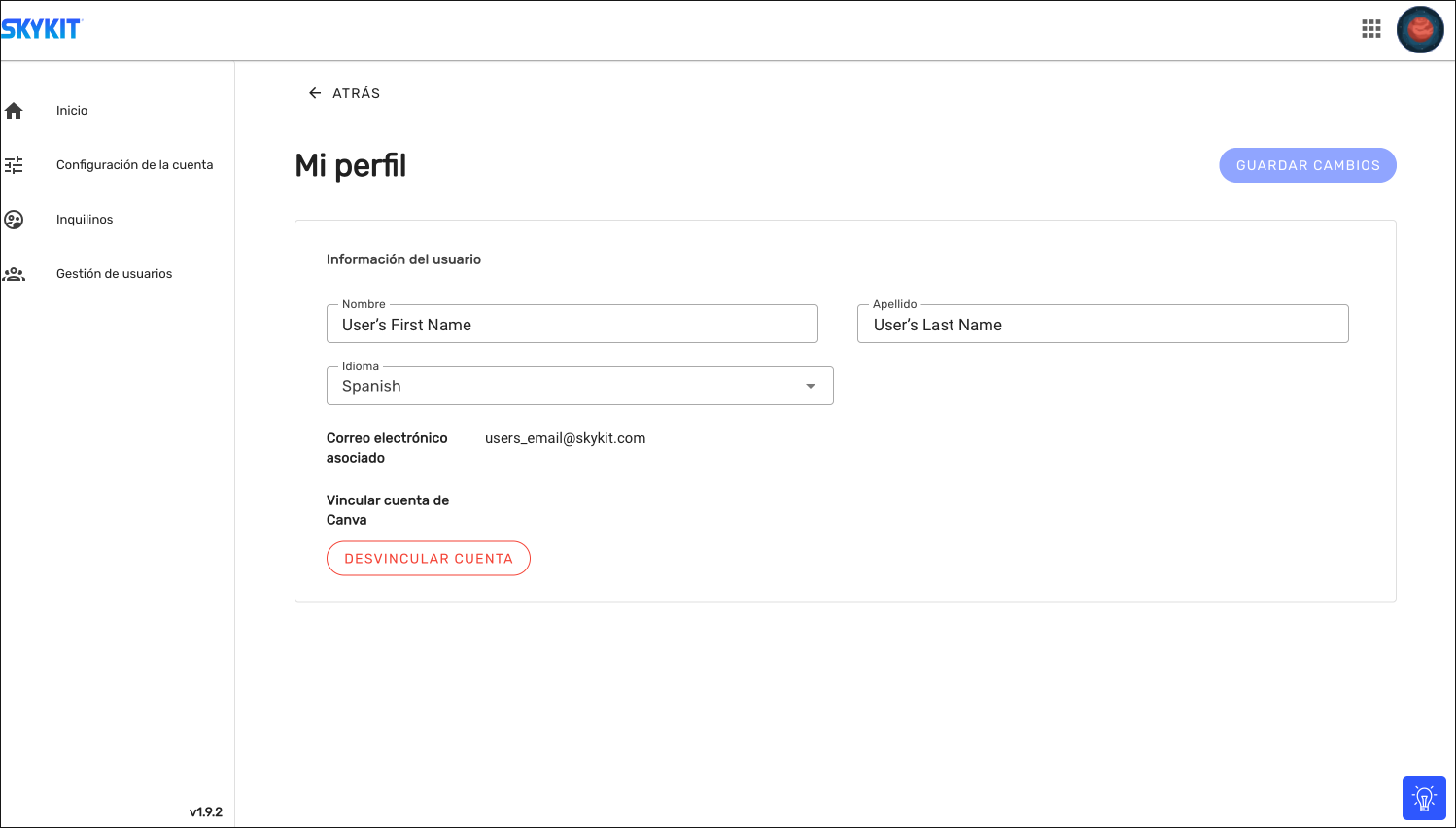
To change your account language, you will see a Language option on your profile. Click the dropdown and select your preferred language.
Click Save Updates.
.jpg)
Your Account will display in the language you’ve chosen. This includes the Accounts portal, Beam, and Control. You can replicate these steps at any point to translate back to English.
Frequently Asked Questions
Q: How can I activate another language for my Skykit account?
A: Log into the Skykit Account Portal, go to your Profile, choose Spanish from the Language dropdown, and click Save Updates.
Q: Is the Spanish language option automatically available to all users?
A: Yes! It’s available in your profile settings.
Q: Where can I access the language settings?
A: The language settings can be found in your Profile. Click on your Account Profile icon in the upper corner, select View Profile from the dropdown, and look for the Language option.
Q: Is it possible to revert back to English later?
A: Yes. You can repeat the same steps at any time to switch your language preference back to English.
Q: What should I do if I have several Skykit Accounts?
A: When you log in, you will be asked to choose the specific account you wish to access. Ensure you select the correct account where you want the language change to take effect. If you have multiple tenants within the same account, your language choice will apply to all tenants.