Not seeing the Firmware tab?
Most users will not need this feature as the Skykit team pushes out firmware updates to devices as needed. This page is available by request for some use cases; if you think you need access to the Firmware tab, please reach out to Skykit Support.
The Firmware tab includes information about the firmware—when it was built and the build ID, among other things—and gives you the ability to download and install firmware updates.
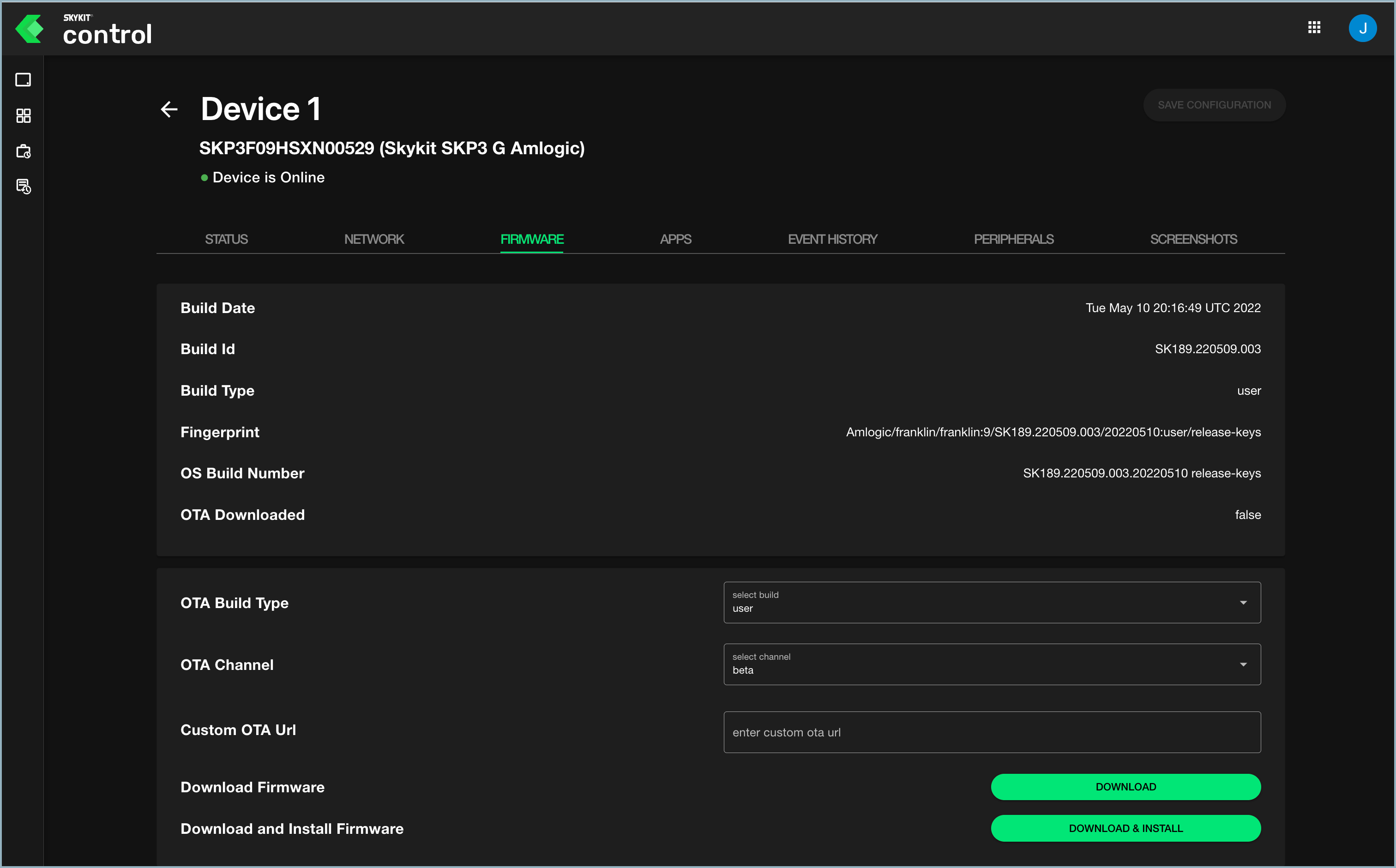
Firmware Properties
The properties section of the Firmware tab provides information about the firmware as reported from the display.
| Property | Description |
|---|---|
| Build Date | The date and time (UTC) of the most recent firmware build. |
| Build ID | The unique ID of the build. |
| Build Type | The type of build (user or userdebug). |
| Fingerprint | The firmware's unique identifier. |
| OS Build Number | The build number of the firmware's operating system (OS). |
| OTA Downloaded | Indicates whether over-the-air (OTA) updates have been downloaded. False=No, True=Yes. |
Firmware Settings
In the configurations section of the Firmware tab, you can configure settings for over-the-air firmware updates and download and install updates.
If you edit any settings, make sure to select Save Configuration when you're done to save your changes.
| Setting | Action |
|---|---|
| OTA Build Type | Select the build type (user or userdebug) from the drop-down list. |
| OTA Channel | Select the channel (alpha, beta, or prod) through which OTA updates should go. |
| Custom OTA URL | If you are using a custom OTA URL, enter it in this field. |
| Download Firmware | Select Download if you want to download firmware updates and install them later. After the updates are downloaded, the Download button is replaced with an Install button. When you're ready to install the updates, simply select Install. |
| Download and Install Firmware | Select Download & Install if you want to download firmware updates and install them right away. |