What is Android Web View?
Android Web View is one of the Managed Apps running on your Skykit Display. It is a system component that allows Android applications to display web content like Web Views and Dashboards inside an app instead of opening a separate web browser like Chrome and Firefox.
Why can’t I update the Web View on my Display?
WebView is managed by Google. As web technologies advance, Google eventually drops Web View update support for older Android OS versions.
Specifically, these Skykit devices have reached their maximum supported Web View version:
CMA1000 devices cannot be updated past version 120
If you attempt to update Web View in Control UI, you’ll see an error that looks like this:
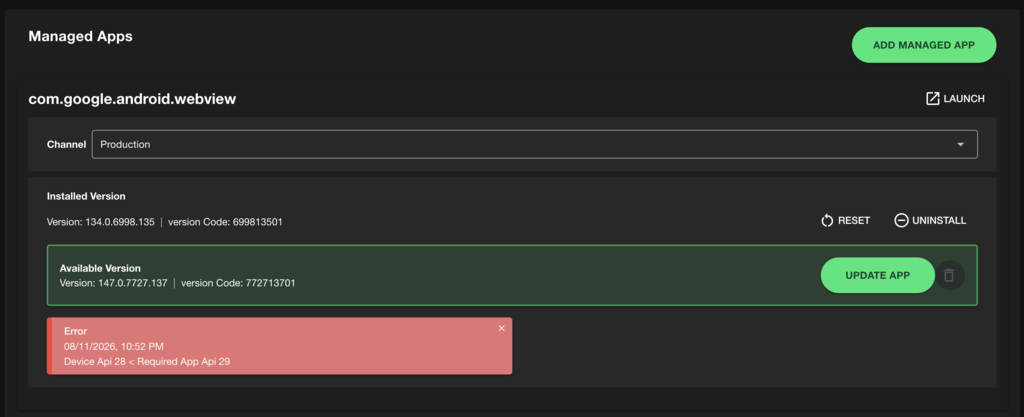
Does this mean I can’t use Web View or Dashboard content on my older display?
No! You can still play web content on Skykit Displays with older Android OS versions.
However, if your web content relies on bleeding-edge web technologies or newer code libraries, you might notice formatting or rendering issues (similar to trying to load a modern website on a very old version of a desktop internet browser).
What should I do if my content isn’t loading correctly?
If you notice that your Web Views or Dashboards are no longer rendering properly on your CMA1000, P3, or E100 device, it may be time to upgrade your hardware to support modern web standards. Please contact our support team or your Customer Success Manager to discussion hardware refresh options.